Governance

Report Style Guide Dashboard Mockup Template

Not a business dashboard — a reference sheet. Every standard component (KPI card, bar, line, donut, table) laid out with the spacing, sizing, and labelling conventions your BI team should follow, so every report looks like it came from the same team.

Free on the free plan · No install · Popular with BI teams
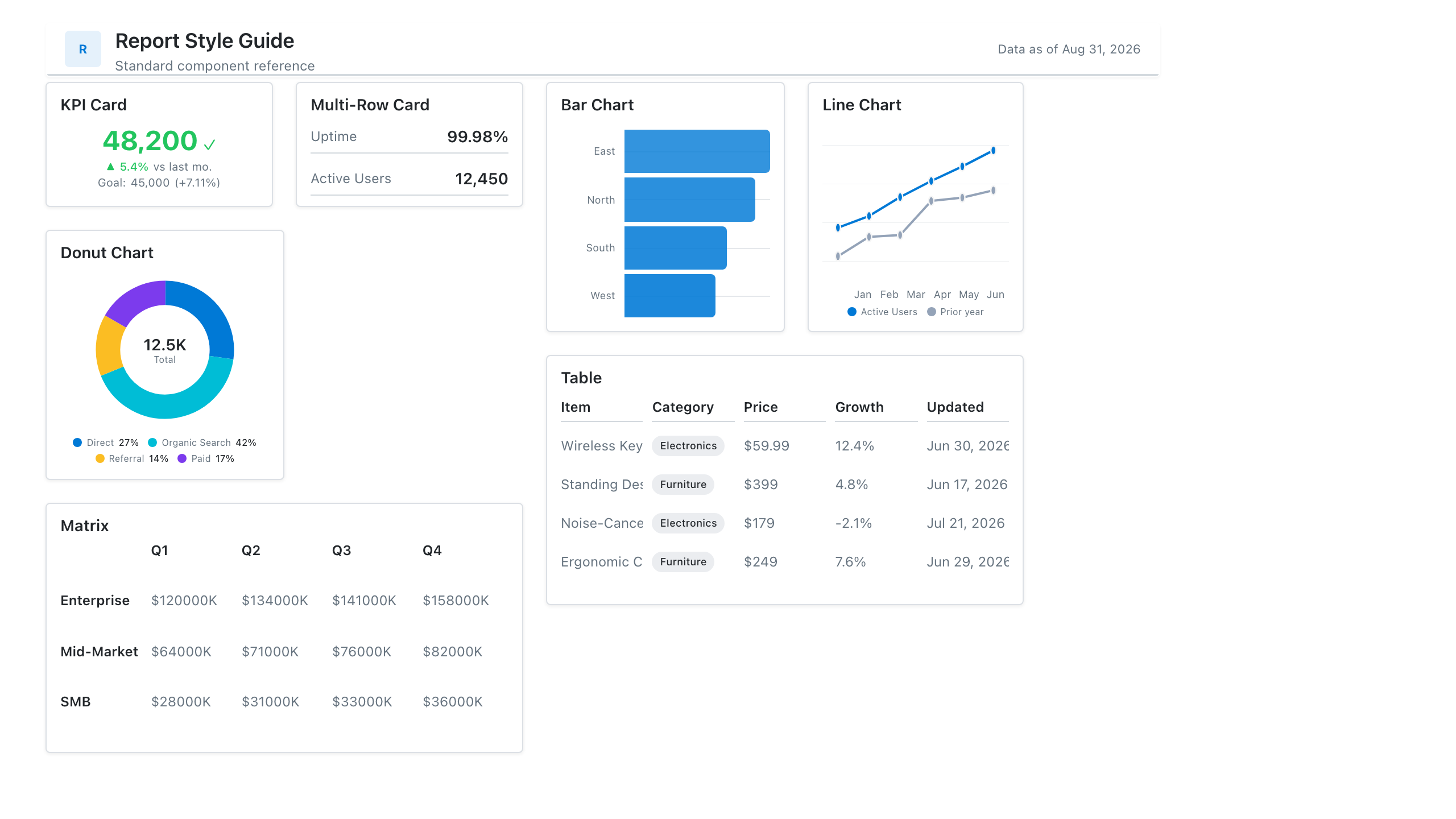
Report Style Guide Template — dashboard mockup in Mockko

Metrics this dashboard tracks

  • Standard KPI card
  • Chart sizing & spacing grid
  • Table formatting rules
  • Colour & typography reference
  • Header / filter bar pattern

Components on the wireframe

KPI CardsTableBar ChartDonut Chart

Every component is a live element in Mockko — resize it, swap the chart type, edit the mock data, or delete it. When the layout is right, export to PNG, PDF, PowerPoint, or JSON for developer handoff.

How to use this template

  1. 1. Click Use this template — it opens on a fresh Mockko canvas, no Power BI or Tableau licence needed.
  2. 2. Swap the placeholder metrics for your own, rearrange the layout, and change chart types until it matches the dashboard you're planning.
  3. 3. Export it — PNG or PDF to share, PPTX for a stakeholder deck, JSON for a developer to build the real report from.

Related templates

Common questions

What's on the Report Style Guide dashboard template?
Not a business dashboard — a reference sheet. Every standard component (KPI card, bar, line, donut, table) laid out with the spacing, sizing, and labelling conventions your BI team should follow, so every report looks like it came from the same team. The wireframe uses KPI Cards, Table, Bar Chart, Donut Chart components, and every element is editable in Mockko.
Is this template free?
Yes. Every template on Mockko is free on the free plan (3 projects, watermarked PNG export). Pro removes the watermark and adds PDF, PPTX, and JSON export.
Do I need Power BI or Tableau to use it?
No. Mockko is a browser-based mockup builder — open the template, customise the layout, and export it. You build the real, data-connected report in Power BI or Tableau afterward.

Start from the Report Style Guide template

Open it in Mockko, make it yours, and export it. Free to start.

Use this template